Spectra Selections
Intelligently leveraging CSIRO’s large national soil spectral library resource
The C4S system enables the user to make a selection of the most representative national collection spectra for a particular soil property to their locally collected soil spectral library of that soil property, for example soil organic carbon (SOC), analysed through the 6B3 method - Total organic carbon Dumas high-temperature combustion with prior physical removal of charcoal and chemical removal of carbonates (Rayment, G.E. & D.J. Lyons (2011). Soil Chemical Methods - Australasia. CSIRO Publishing).
This allows users to utilize existing national spectra from similar soils and SOC content to make the best possible soil property predictions applicable to the user’s local soils. Please navigate to the C4S Science pages to find out more about the Selection Methods available here.
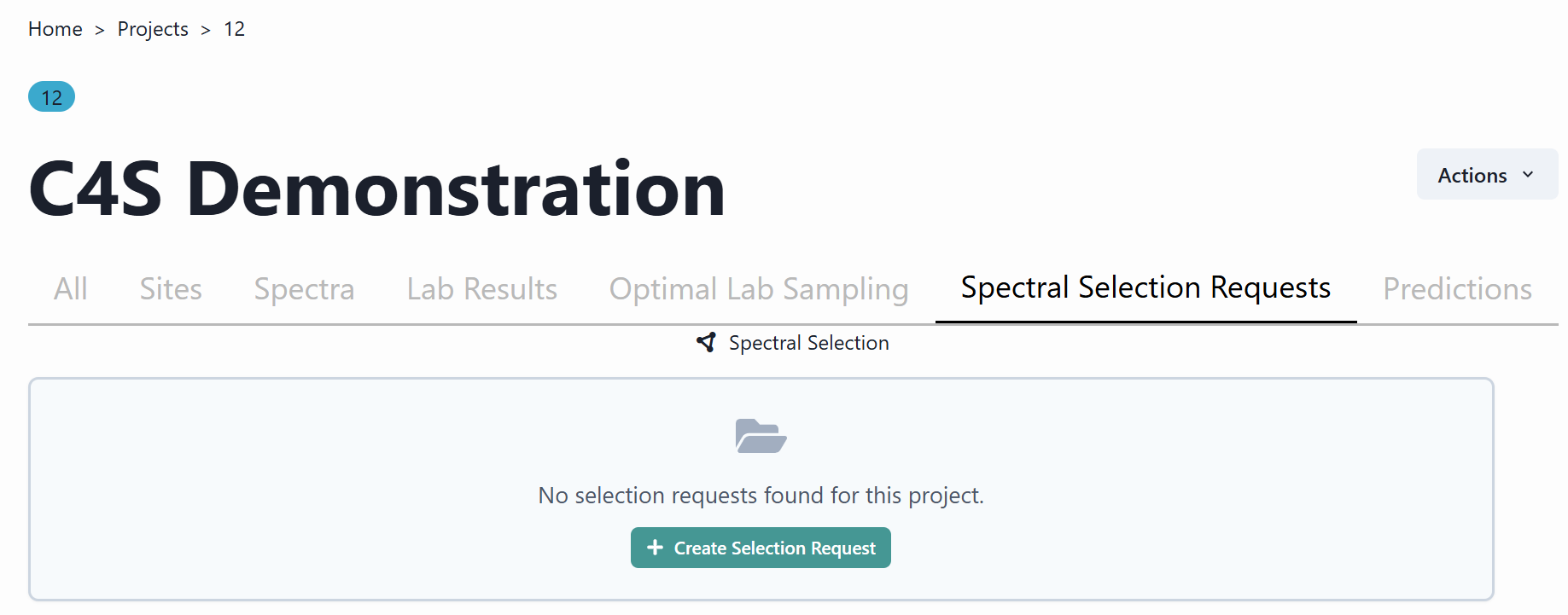
To get started, navigate to the Create Selection Request tab.
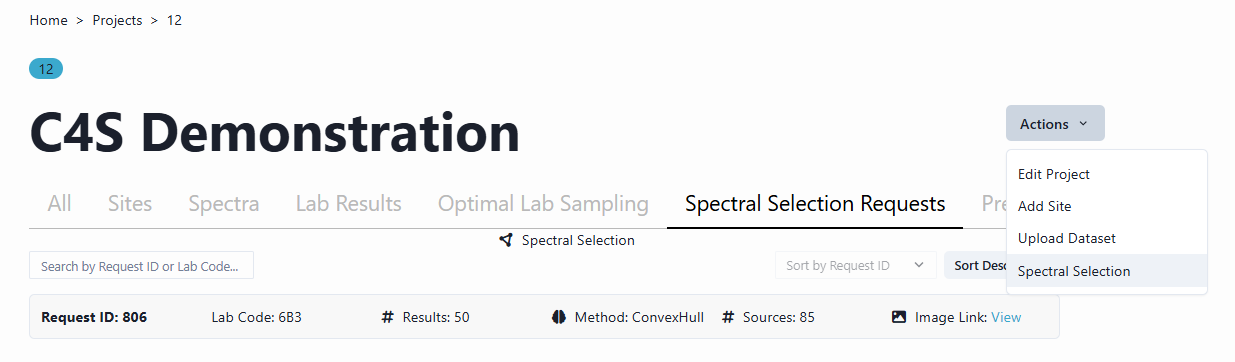
To perform another selection request, navigate to the Actions tab and select Spectral Selection from the dropdown Menu.
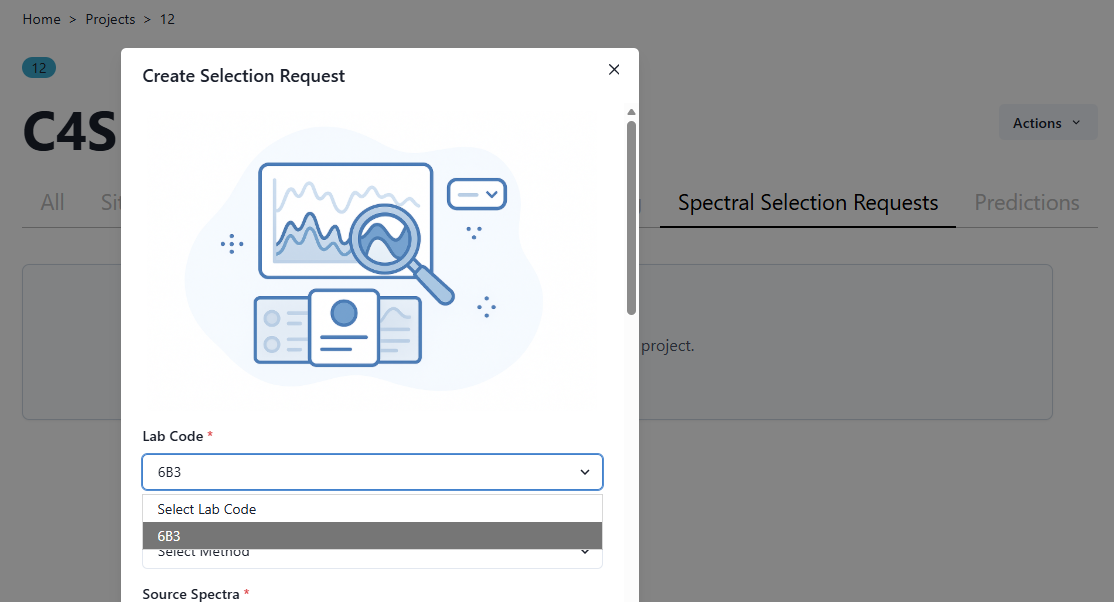
This opens up a new window that enables the user to create a selection request. To do so, the user firstly needs to select a Lab Code from the dropdown Menu. In the example below the soil organic carbon analytical method 6B3 of dry combustion is chosen.
After selecting the Lab Code, the user needs to select a selection Method from the Select Method dropdown Menu.
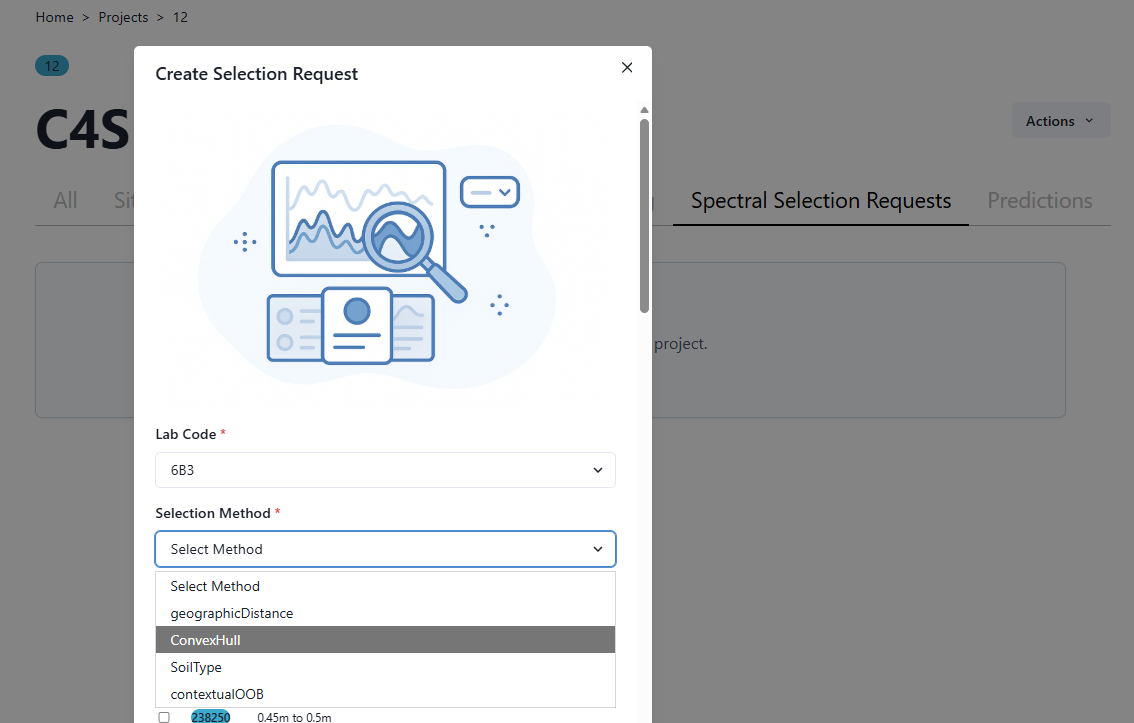
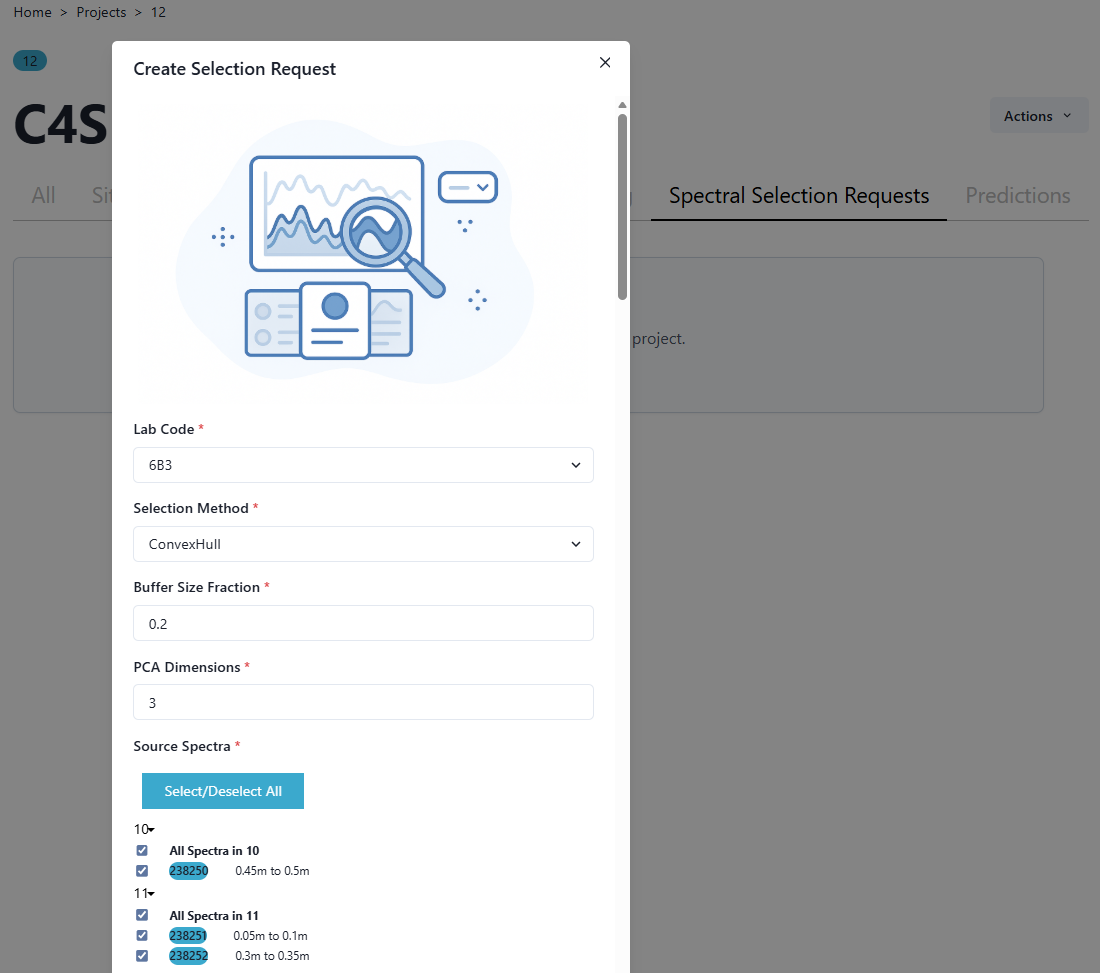
In the example below the Latent Variable Convex Hull method is chosen. For this method two parameters are available, the Buffer Size Fraction and the number of Principal Component Analysis Dimensions. The default options are 0.2 (Buffer Size Fraction) and 3 (PCA Dimensions) as seen below. The Buffer Size Fraction parameter is essentially a multiplier of the observed variation of the local dataset, from which to expand the search for similar spectra in the national dataset. It grows the observed hull along vectors from the centroid of the hull’s vertices by multiplying them by 1 plus the selected buffer size fraction (with a buffer size of one equal to the farthest search for similar spectra).
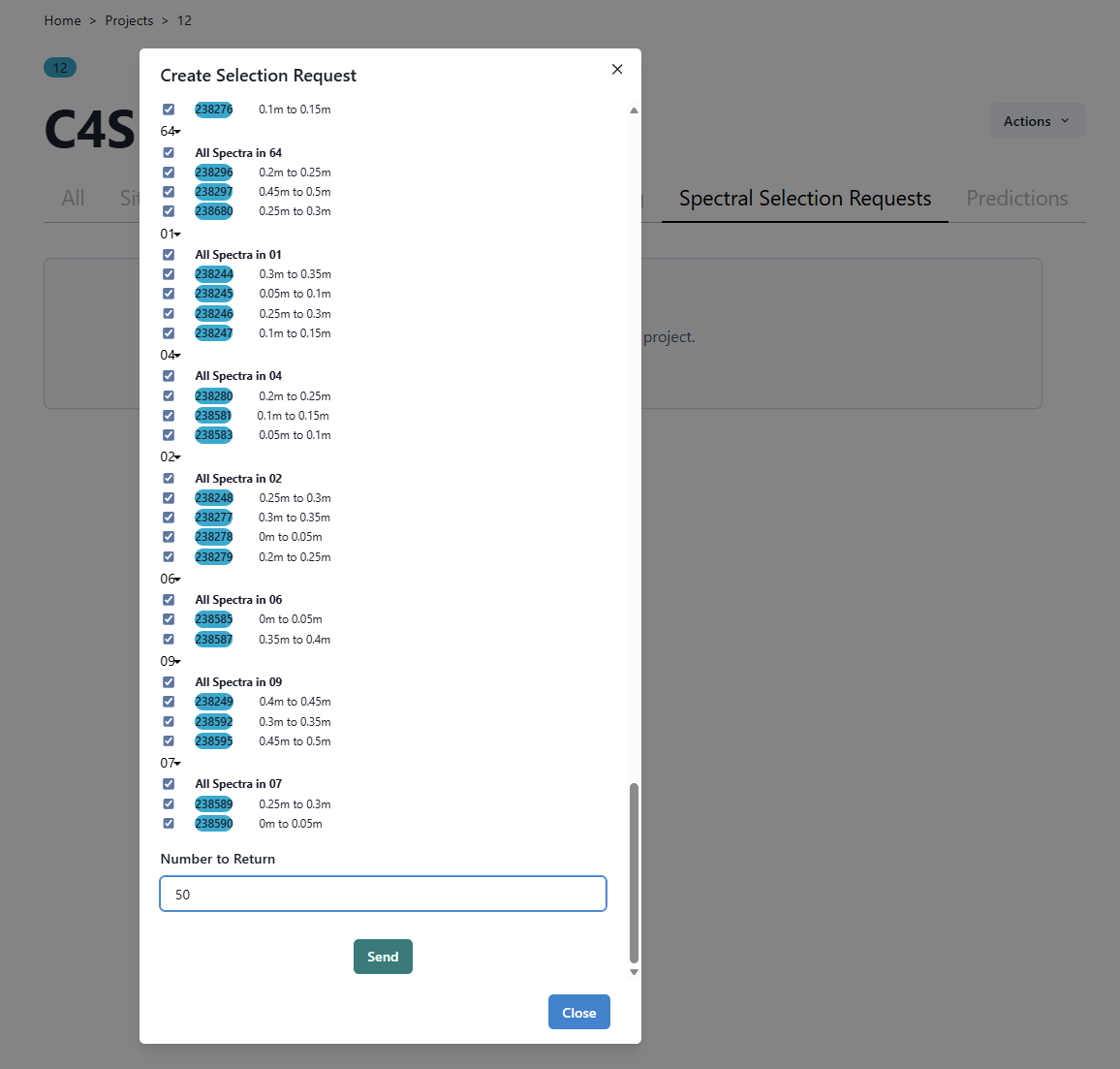
To complete the Selection Method request, all local spectra used in the selection need to be selected. Generally, the user would select all local spectra which can be navigated to by clicking the Select/Deselect All tab.
To complete the selection process, the number of national spectra to return in the selection needs to be completed. To do this, the user needs to scroll down to the bottom of the Selection Method window, and type in the number of spectra to return in the designated box, before navigating to the Send tab. In this example 50 most representative spectra from the national collection are chosen.
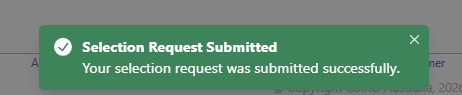
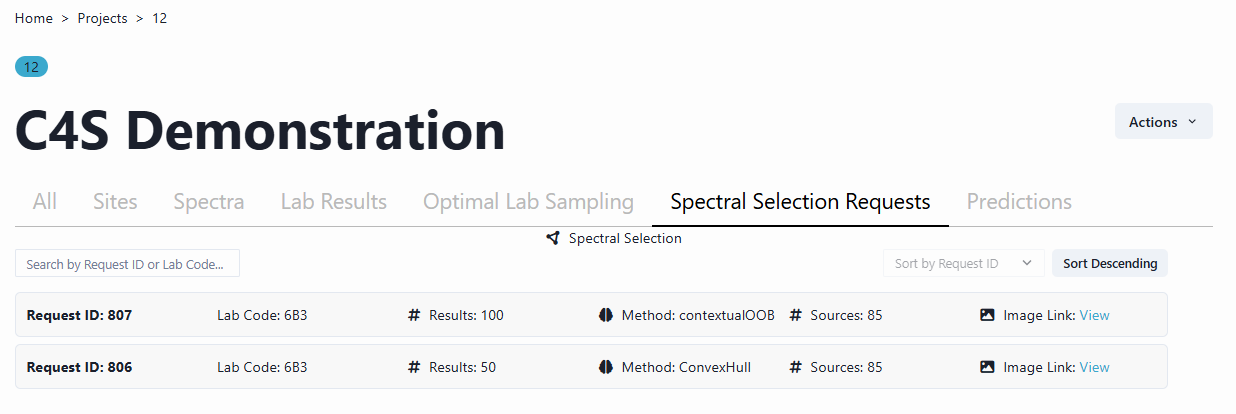
Once this selection request has been processed in C4S, results are available in the Project menu. Navigate to the All page and then back to the Spectral Selection Request page and your request will appear.
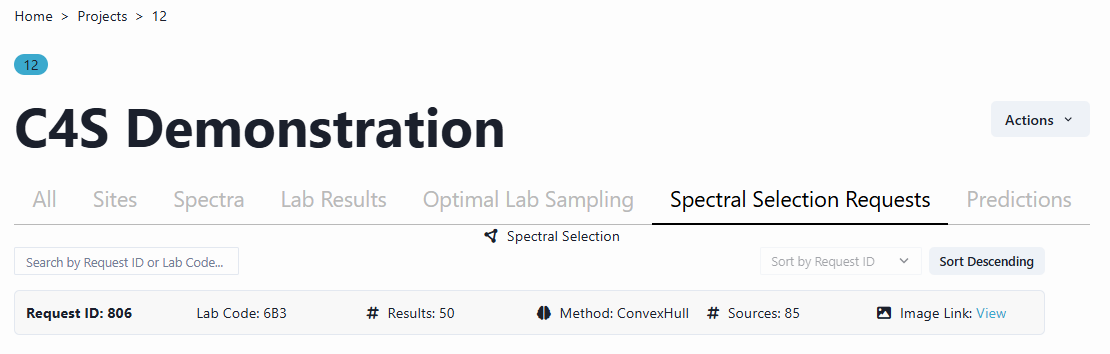
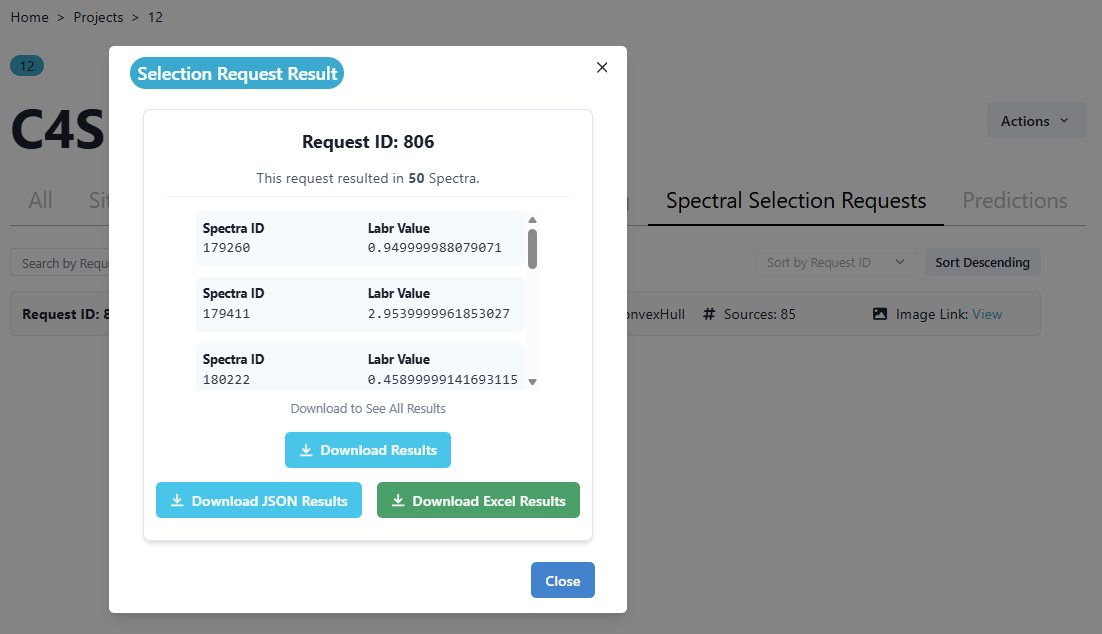
Navigating to the ‘Method: ConvexHull’ field corresponding to the Method request, opens up another window from which results can be downloaded from in various file formats as seen below.
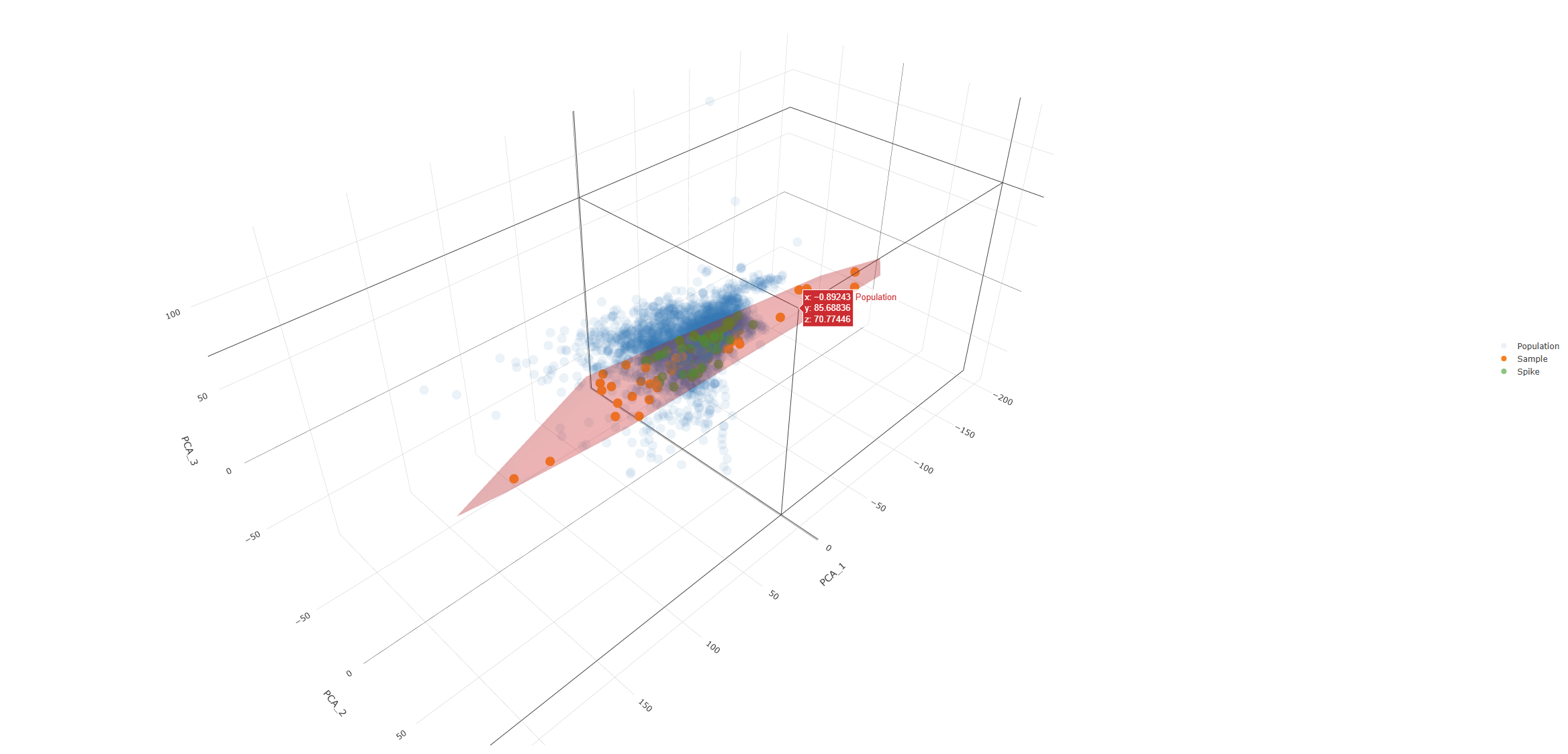
Navigating to the ‘Image Link: View’ field corresponding to the Method request, opens up another window that shows the selection request through a graphical representation. In the plot below, the user can examine the 3 PCA Dimensions, and how the uploaded Local spectral library dataset (orange) fits within the population of the Australian national soil spectral library (blue). The user can also see the selection request, which corresponds to the datapoints seen in green. In the example below the local library is represented relatively well within the population of the national library.
In the example below the Count of Observations (CoObs) approach or contextualOOB method is chosen. Again, for this method two parameters are available, the Distance Limit and the Selection Size. The default options are 270 (Distance Limit) and 20 (Selection Size) as seen below. The Distance Limit sets an upper bound on spectral distance used to assess spectral similarity. It acts as a standardising parameter. Any spectral distance greater than this threshold is treated as equal to the maximum distance, preventing extreme values from dominating the analysis. The Selection Size is the number of NNs per spectra, to be refined down through the selection process.
Complete the selection process as outlined above under the Convex Hull method.
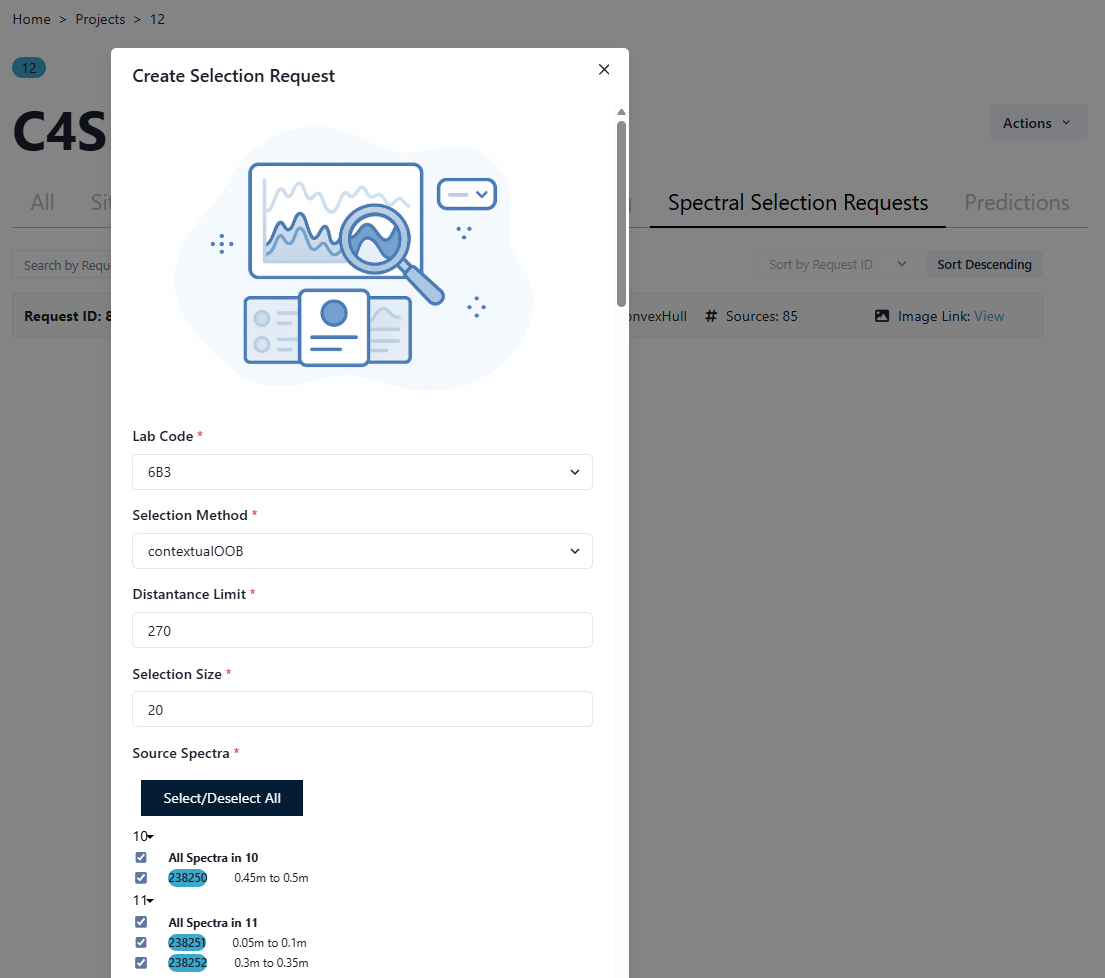
Follow the steps as outlined above to complete this selection request. The results will then appear under the Spectral Selection Requests page.
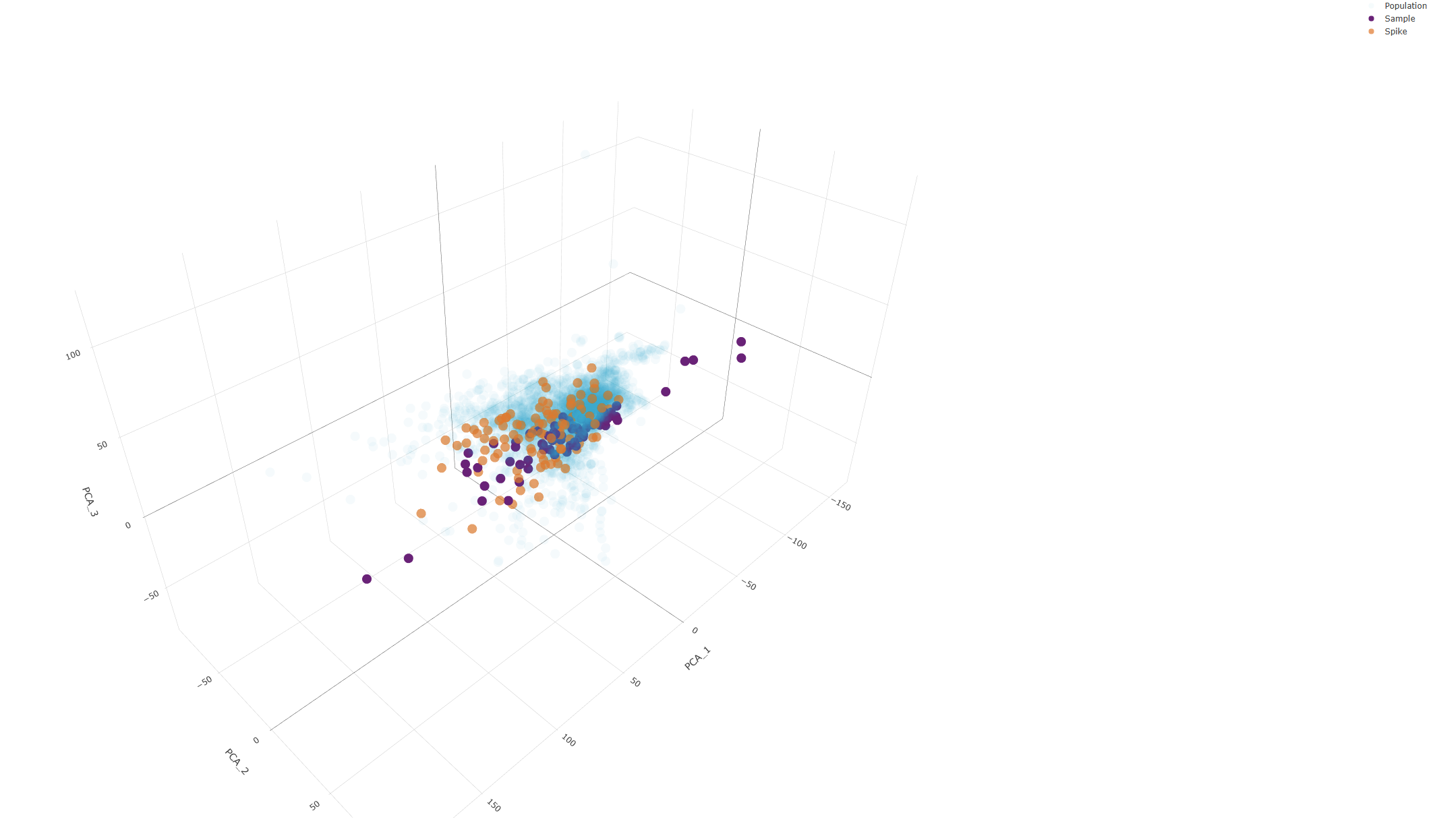
In the plot below, the user can examine the 3 PCA Dimensions, and how the uploaded Local spectral library dataset (purple) fits within the population of the Australian national soil spectral library (light blue). The user can also see the selection request, which corresponds to the datapoints seen in orange. In the example below the local library is represented relatively well within the population of the national library. From the plot below, we can see that the contextualOOB selection method results in a more representative spectral selection from the national library to complement the local library.